Thursday, May 19, 2016

Motivate Students by Writing with a Purpose

"Why do we have to do this?"  Teachers would agree this is a common question by students.  What is the purpose of the activities we do with our kids?  When it comes to writing, one natural motivator is to provide an audience for the published product. Students will put more effort into a piece of writing when they know it will be shared with others.  Think of how hard they work on projects when they know parents are coming to school and will see their work for an open house or conferences.  Besides sharing with classmates and parents, students are especially motivated when their work is shared outside the classroom walls.  This is where we can bring innovation into what we do with the creative work students do.

This week I am sharing a list of ideas for publishing writing to a larger audience.  There are websites students can use to publish work and others places for them to win scholarship money and prizes!  This is a short list of the many opportunities out there.  With a quick internet search, you can find many more ideas.

Writing Contests:


Poetic Power is a site where students get published, win prizes, and teachers earn school supplies.

10 Poetry Scholarships for Creative Students has a list of opportunities for students of all ages to receive recognition and scholarship prizes for their work.

Poetry Nation Contest awards over $35,000 to students each year!

Library of Poetry Contest  is open to all students enrolled in grades 3-12. Submissions are accepted year round, and winners are announced every September 30th. 1st, 2nd, and 3rd place winners are selected in each of four divisions and will receive a cash prize and Certificate of Achievement. Check our the website for more prize information.

Online Publishing Resources 
(adapted from the National Writing Project)


Figment is a community where teens can share their writing, connect with other readers, and discover new stories and authors. Whatever teens are into, from sonnets to mysteries, from sci-fi stories to cell phone novels, they can find it here.
Candlelight Stories invites story writers (grades 6–12) and illustrators to submit their work to be published on Candlelight. The site also contains an international gallery of illustrated stories including "Thumbelina" and "Slim Hick—The World's Only Singing Cowboy Ant."
Teen Ink accepts art, poems, stories, personal narratives, college admission essays, and reviews of favorite (and least favorite) movies, books, colleges, and websites for their monthly print and online magazine. 
KidLit, for students in grades K–12, welcomes a poem, a book review, or a short story, sent by email. Previous submissions may be read on the site.

Monday, May 9, 2016

“Oh no, devices are being collected! Now what do we do?”

The end of the school year is such a busy time.  Time flies are you are finishing up grades, organizing your classroom, and waiting anxiously to find out what you will be teaching next year.  But through all the hustle and bustle, the kids are still coming to school each day, and it takes just a little more effort to keep them engaged in learning.   This is especially true after devices are collected, now that we have integrated some form of technology into so much of what we do.  Don't worry, with a little bit of advanced planning, there are plenty of great project ideas to keep kids learning up until the last day!  If they are busy actively learning, they will have less time to get anxious about the last day, keeping classroom behavior in check.  Below is a list of ideas compiled from various blogs and teacher websites. Enjoy!

Creative ways to spend the last few weeks of school, technology free!

Google Hangouts/Skype
Participate in Google Hangouts with feeder schools and have kids ask questions about their upcoming year. (Only the teacher needs a computer for this one.)
Themed Party
Let the kids make groups and plan all the activities, decorations, music, food and more.
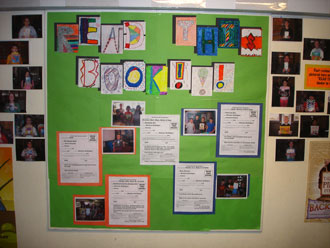
Book Hall-of-Fame
Have each student write (or draw) a reflection on the best book they read over the year. Then, save their reflections and post them on a bulletin board so that next year's students can glean reading ideas.
Dear Next Year's Class
Have your students write letters of advice to next year's students.  Or, they can create a bulletin board of advice welcoming next year’s students.
Egg Drop! Water Balloon 
Drop!
Many schools save the last days of school for their annual "egg drop" activity. Each student works within guidelines to fashion a container for an egg so that the egg won't break when the student drops it from an established height -- using a tall ladder, or from the school's roof.
Put on a play
Students can write their own script, or you might use a script you find online. If you're looking for a great resource, see the Education World story All the Classroom's a Stage!

Have students write letters to themselves.

Ask your students to write themselves a letter, reviewing the year and making “resolutions” for the next school year. Give them some prompts to write about: one thing they are proud of from this year, one thing they would like to do differently next year, one thing they want to remember, and so on. You can either mail these letters to your students just before the start of the next school year, or make arrangements with their next teachers to distribute the letters at the start of school.
Service Projects
Take this time to get involved with a cause that is meaningful to you or your students? Students can write letters to government leaders, organize fundraisers, or create pamphlets or flyers addressing a particular issue. You can build off world events, tackle an issue you read about during the year, or just ask students what issues matter to them.
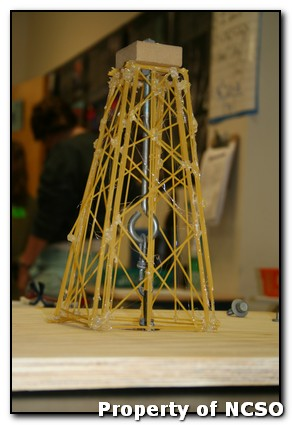
STEM/STEAM challenges
Who can build the biggest tower with cups?  A bridge from popsicle sticks?  A bucket that pours water?  Check out all the possibilities from http://www.sciencenc.com/events.php Find other STEM/STEAM activities HERE.
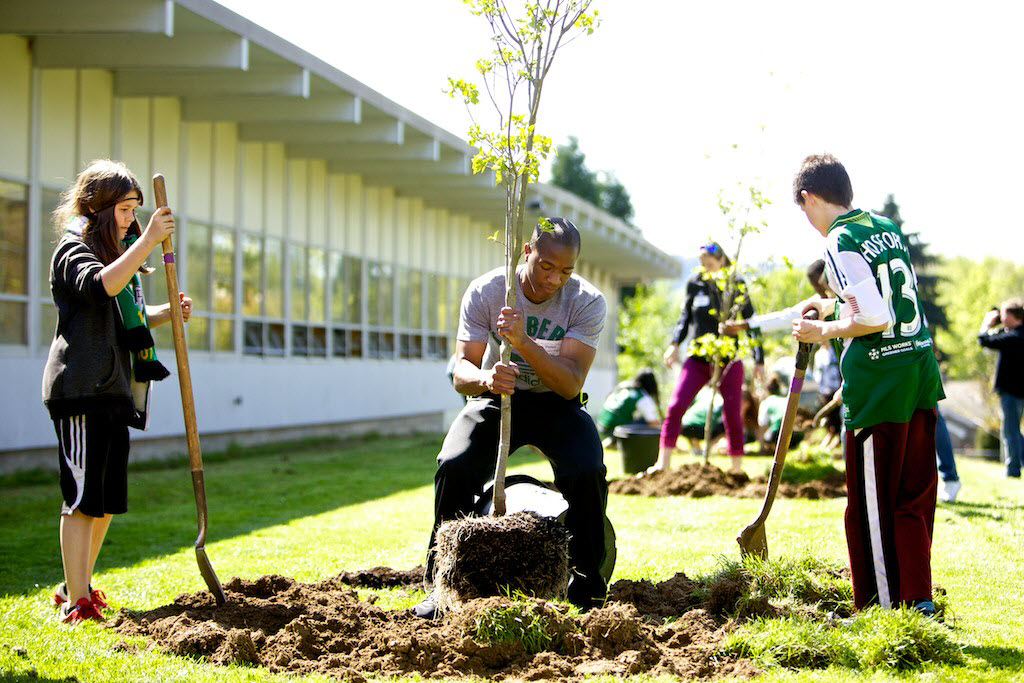
Plant a garden
Have students improve the outside of the school by adding flowers.  Have them call local nurseries to see what can be donated.

“My classmates and I were given an index card for each student in class, along with a brown paper bag. We were asked to decorate the bags with our names and things we remembered from the school year. After we were done decorating our bags, she told us to write one nice thing we remembered about each of our classmates and place them in their bag. We were allowed to do this anonymously. Later, we were allowed to go through our bags and read all of the nice things our fellow classmates had said about us. It was wonderful.
What a great way to spend a few minutes reading what other people thought about you – in a positive way. In my classrooms I’ve added a few caveats when I do this activity. I gather up the cards and double-check them just to ensure that nothing inappropriate gets put in someone’s bag. I express my expectations for positive comments and offer some suggestions for nice, neutral comments for students who don’t know each other well or who don’t like each other. I think this is important too, because it teaches students the valuable lesson of looking for the good in other people – even if they don’t really get along. More often than not, I’m thrilled with the thoughtful responses my students come up with for each other. I’ve also added a brown bag for myself – hey, we need to hear the good things our students think about us too!”
Show What You Know
Give students an opportunity to teach the rest of the class something, like origami, a new app, or a martial arts self-defense move.  Students create a lesson and share with others.
“This fun activity will get your students thinking and writing creatively. For an end of the year writing activity I filled a picnic basket with various summer items - beach towel, pail, sand molds, mask, swimsuit, apple, shells, juice bottle, toy dolphin, etc. - and had the students pick 10 items to write a story using these items in the story. After I put everything back I asked the students to write as many of the items down as they could remember (20 in all), just for fun! They loved it.”
Scrabble Tournaments

What could be more fun than a board game tournament that’s educational as well as exciting? Many families have Scrabble boards in their closets that they can lend to your class, and setting up a tournament is easy. You can find complete Scrabble Tournament directions and printables for the event on my Corkboard Connections blog and you can download the necessary forms from my Odds N Ends page.

Monday, April 25, 2016

21st Century Illiteracy?

Looking for new ideas?  I found a goldmine of resources with definitions, project ideas, lesson plans, rubrics, and basically everything a teacher would need to implement project-based learning (PBL), blended learning (blending classroom and online instruction), and flipped learning.  I know that some teachers have been implementing these strategies in classrooms already, and others might be looking to learn more about these modern ways of learning.

The sites I am sharing are listed as resources on Google's training site for educators.  You can become more familiar with Google's tools, and how they apply to education, by clicking through the online training tutorials.  You can even sign up to take the exams and earn your badge as a certified "Google Educator."  This is how I learned what I know about Google's Apps for Education (G.A.F.E.) and I love working through the tutorials at my own pace.  It is a great training site to work on over summer!  What I love most is that the focus is not just "tech training,"  however it's how these tools can be used to enhance learning in your classroom. 

Here are the links as mentioned above:


The best skill we can teach our kids is how to find great tools and use them to improve our own skill set.  These resources are a great way to model that same approach to our own learning as educators in the 21st century.


Wednesday, March 9, 2016

Video timer for lessons


Looking for ways to keep kids on task for an activity? When I am in the classroom, I find myself guilty of saying, "You have three minutes left." But then I start working with a group, and lose track of time. Next thing you know, the three-minute activity has turned into 7 or 8 minutes. I picked up a little trick at the IL Computing Educators Conference that I love! YouTube has a collection of videos you can use as timers, for just about any increment of time you would need. But instead of having to open these timers in another window, you can insert the timer video directly into a Google slide to help organize a lesson and have all your tools and links in one place. These timer videos could also be inserted into a Google Classroom post, with directions for the activity.


Click HERE for a sample. Then, click on the timer video on the right to see it in action!


How do you do this?

  1. Open Google slides
  2. Go to "Insert" > Video


3.  In the YouTube search box, enter the increment of time you are looking for.
4.  Click on the video you like (Some have a different design, or different sounds played at the end). Then click on the blue "Select" button.
5. That's it!  The video will appear in your presentation, ready for your lesson!

      Monday, February 29, 2016

      Train wreck?

      (I figured the subject heading might spark your curiosity!)

      Inline image 3Ever grade student work and feel like it's a train wreck?  Either the student veers off in the wrong direction, or they have so many run-on sentences you can't keep up?

      A great way to stop the train is with as much feedback as possible before it pulls into the station!

      How do we do this with so little class time?  It's difficult to find time to check in and conference with kids as much as we would like.  But another way to give students feedback to guide assignments is with the comments feature built into Google.  If students share their writing before the due date, you can open the file and quickly add comments with thought provoking questions, corrections, guidance, or confidence-boosting, positive feedback.

      These little digital stickie notes are an option on Docs, Sheets, Slides and Drawing.  The student also receives an email when a comment is posted to their work.  Comments can come from teachers or any peers they share the file with.

      Here's a sample of what it looks like:


      Inline image 1

      Not sure why I chose the train wreck analogy, but I think it came from an adorable appetizer picture I saw on Pinterest this weekend!  See the whiteboard and yardstick in the background?  Of course a teacher would come up with something so adorable and creative!

                                                                 Inline image 2